



Texas homes are known for their generous square footage. Whether it’s a ranch-style home outside Austin, a multi-story suburban house in Dallas-Fort Worth, or a spacious property in the Houston suburbs, large homes offer room to spread out. But they also come with a common challenge: Wi-Fi coverage that struggles to keep up with the size of the space.
If you’ve ever walked into a back bedroom only to see your signal drop to one bar, or tried to stream a movie on the patio while the connection buffers endlessly, you’re not alone. Large houses often create Wi-Fi dead zones, especially when thick walls, multiple floors, and outdoor spaces come into play.
Fortunately, improving home Wi-Fi in a large Texas house doesn’t require advanced technical knowledge or major renovations. With the right equipment, strategic placement, and a few smart adjustments, you can dramatically improve coverage and speed across your entire property.
This guide walks through practical steps to help Texas homeowners get stronger Wi-Fi signals, eliminate dead spots, and create reliable connectivity throughout even the biggest homes.
Why Large Homes Struggle with Wi-Fi

Before jumping into solutions, it helps to understand why Wi-Fi struggles in large homes.
Wi-Fi works by broadcasting radio signals from a router. As those signals travel through your home, they weaken due to distance and obstacles such as:
- Thick drywall or plaster
- Brick or stone walls
- Metal ductwork
- Floors between levels
- Large furniture or appliances
In Texas homes, architectural features like stone fireplaces, multi-story layouts, and extended wings or garages can further interfere with signal strength.
Add in modern usage — streaming, gaming, remote work, smart home devices — and a single router often isn’t enough to provide consistent coverage across thousands of square feet.
Start With the Right Internet Plan
Before upgrading hardware, make sure your internet service plan actually supports your household’s needs.
Many large homes now have:
- Multiple TVs streaming at once
- Several phones, tablets, and laptops connected simultaneously
- Smart home devices like thermostats, security cameras, and voice assistants
- Work-from-home setups or gaming systems
If your internet speed is too slow for your usage, even the best router won’t solve the problem.
Recommended Speed Ranges
For large households:
- 100–300 Mbps: Basic browsing and streaming
- 300–500 Mbps: Multiple streams and devices
- 500 Mbps–1 Gbps: Heavy use, smart homes, gaming, and work-from-home
Many Texas internet providers now offer fiber plans that support faster speeds and lower latency.
Upgrade to a Modern Router
One of the simplest ways to improve Wi-Fi is to upgrade your router.
Older routers often struggle with modern devices and larger homes because they:
- Have limited signal range
- Support fewer simultaneous connections
- Use outdated Wi-Fi standards
Look for Routers That Support
- Wi-Fi 6 or Wi-Fi 6E technology
- Dual-band or tri-band broadcasting
- Strong antennas and extended coverage
- Support for many devices
Modern routers handle multiple connections more efficiently and broadcast stronger signals.
For large homes, however, even powerful routers may not reach every corner. That’s where mesh Wi-Fi systems come in.
Mesh Wi-Fi Systems: The Best Solution for Large Homes
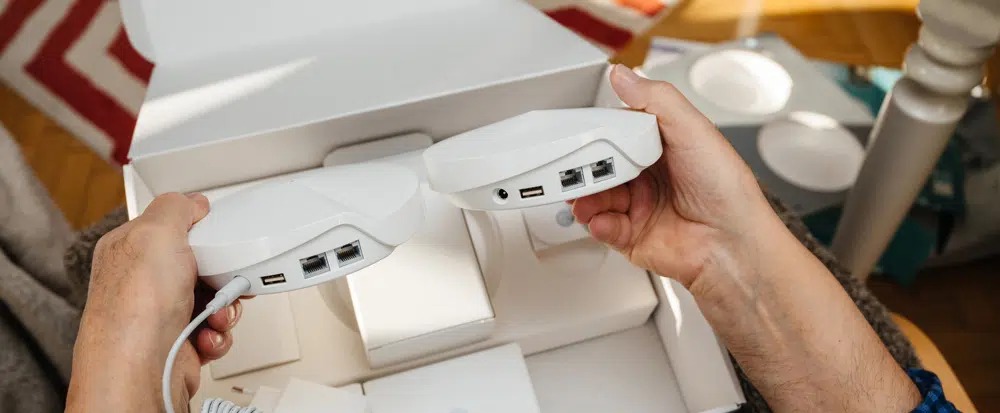
Mesh Wi-Fi systems are one of the most effective ways to improve connectivity in large Texas houses.
Instead of relying on a single router, a mesh system uses multiple nodes placed throughout the house. These nodes communicate with each other to create one seamless network.
Advantages of Mesh Wi-Fi
- Eliminates dead zones
- Provides consistent coverage across large areas
- Automatically connects devices to the strongest node
- Expands easily by adding more nodes
Popular mesh systems include:
- Google Nest Wi-Fi
- Eero
- Netgear Orbi
- TP-Link Deco
Most systems can cover 4,000 to 7,000 square feet or more, depending on how many nodes you install.
Place Your Router Strategically
Router placement matters more than many homeowners realize.
A router placed in a corner of the house or hidden behind furniture will struggle to broadcast evenly.
Ideal Router Placement
Place your router:
- Near the center of the home
- Elevated on a shelf or desk
- Away from thick walls or metal objects
- Away from large electronics like TVs
If your internet connection enters through a far wall or utility room, consider relocating the router using Ethernet cables or adding mesh nodes.
Eliminate Wi-Fi Dead Zones
Dead zones are areas where the signal becomes weak or disappears completely.
In large homes, common dead zones include:
- Upstairs bedrooms
- Detached garages
- Back patios
- Basements
- Guest rooms far from the router
Solutions for Dead Zones
- Add mesh nodes or Wi-Fi extenders
- Move the router closer to the center
- Reduce signal interference
- Upgrade to stronger hardware
Mesh systems typically solve dead zones better than traditional Wi-Fi extenders.
Reduce Interference from Other Devices
Wi-Fi signals share airspace with other wireless technologies.
Common sources of interference include:
- Microwave ovens
- Baby monitors
- Cordless phones
- Bluetooth devices
- Neighboring Wi-Fi networks
Tips to Reduce Interference
- Use 5 GHz or 6 GHz Wi-Fi bands for faster speeds
- Place routers away from microwaves or large electronics
- Change Wi-Fi channels in your router settings if nearby networks overlap
Modern routers often automatically choose the least crowded channel.
Use Wired Connections for High-Demand Devices
While Wi-Fi is convenient, wired Ethernet connections remain the most reliable option for certain devices.
Consider wiring:
- Gaming consoles
- Desktop computers
- Smart TVs
- Home office workstations
Running Ethernet cables to key areas reduces wireless traffic and improves overall network performance.
Many large Texas homes include structured wiring panels that make this easier.
Extend Wi-Fi to Outdoor Spaces
Outdoor living is a big part of life in Texas. From backyard patios to outdoor kitchens and pool areas, reliable internet outdoors can enhance entertainment and convenience.
Outdoor Wi-Fi Options
- Outdoor mesh nodes
- Weatherproof access points
- Strategic placement of indoor nodes near exterior walls
Some mesh systems allow nodes to be placed near patios or windows to extend coverage outside.
Secure Your Wi-Fi Network
Improving Wi-Fi performance also means protecting your network.
Unsecured networks can slow performance if neighbors or unknown devices connect.
Basic Security Steps
- Use strong Wi-Fi passwords
- Enable WPA3 encryption if available
- Create guest networks for visitors
- Regularly update router firmware
Security updates often improve performance as well.
Manage Devices With Smart Network Tools
Many modern routers include apps that help homeowners manage their network easily.
These apps allow you to:
- See all connected devices
- Prioritize certain devices
- Pause internet access for kids’ devices
- Run speed tests
- Monitor network health
For busy households with many devices, these tools help keep everything running smoothly.
Consider Professional Installation for Complex Homes
Very large homes — especially those over 5,000 square feet — may benefit from professional network installation.
Professionals can install:
- Wired access points
- Structured network panels
- Whole-home mesh systems
- Enterprise-grade Wi-Fi solutions
This approach is especially useful for multi-story houses, properties with guest houses, or homes with extensive smart technology.
Final Thoughts
Large Texas homes offer space, comfort, and flexibility — but reliable Wi-Fi coverage across that space requires thoughtful planning. By upgrading routers, adopting mesh Wi-Fi systems, improving placement, and reducing interference, homeowners can dramatically improve internet performance throughout the house.
Whether you’re working from home, streaming movies with the family, or managing a growing smart home system, strong Wi-Fi connectivity keeps everything running smoothly.
With the right setup, even the largest Texas houses can enjoy fast, reliable internet in every room — from the home office to the backyard patio.
Comments (0)
No comments yet. Be the first to share your thoughts.
Leave a comment